Planning a party is exciting, and a KRUU Photo Booth is one of the easiest ways to make it truly unforgettable. Unlike traditional photo booth companies that require an attendant and complicated logistics, KRUU's DIY all-inclusive rental model provides professional-quality photos with none of the stress.
Whether you're hosting a wedding, birthday bash, baby shower, corporate event, or milestone celebration, this guide walks you through every step of the KRUU Photo Booth rental process so you know exactly what to expect.
Step 1: Check Availability ✅
Start by checking availability for your event date on the Photo Booth booking page. Enter your preferred date and event type. It's quick, free, and there's no obligation.
💡 Pro Tip: Lock in your date early — especially for peak wedding and party seasons like summer weekends and winter holidays, as KRUU Photo Booths book up fast!
- Visit our Photo Booth booking page
- Enter your event date and occasion type (wedding, birthday, corporate event, etc.)
- Submit your availability request, and within seconds, you can view specific pricing based upon your event location and event type.
Step 2: Choose Your Package 💭
Once your date is confirmed, it's time to pick the photo booth package that's right for your event. KRUU offers three tiers designed for different event sizes and needs:
- LITE: Digital-only, perfect for smaller gatherings or budget-conscious events. You get unlimited digital pictures and access to your online gallery through the KRUU App — no printer included.
- BASIC: Includes everything in LITE, plus a standard Canon Selphy printer, photo paper, and ink, so guests can walk away with physical keepsakes.
- PREMIUM: The full experience. Includes a high-speed printer (3x faster than Basic), multi-strip prints that cut automatically, 100 photo re-prints, additional extra props, a remote trigger, and photo booth insurance. Ideal for larger events or anyone who wants the best of the best.
Not sure which package is right for you? You can always upgrade your package in the KRUU customer portal up to 14 days before your event, so there's no pressure to get it perfect right away.
💡 Pro Tip: The Premium package is the most popular for weddings and events over 100 guests. The high-speed printer means no long lines at the booth!
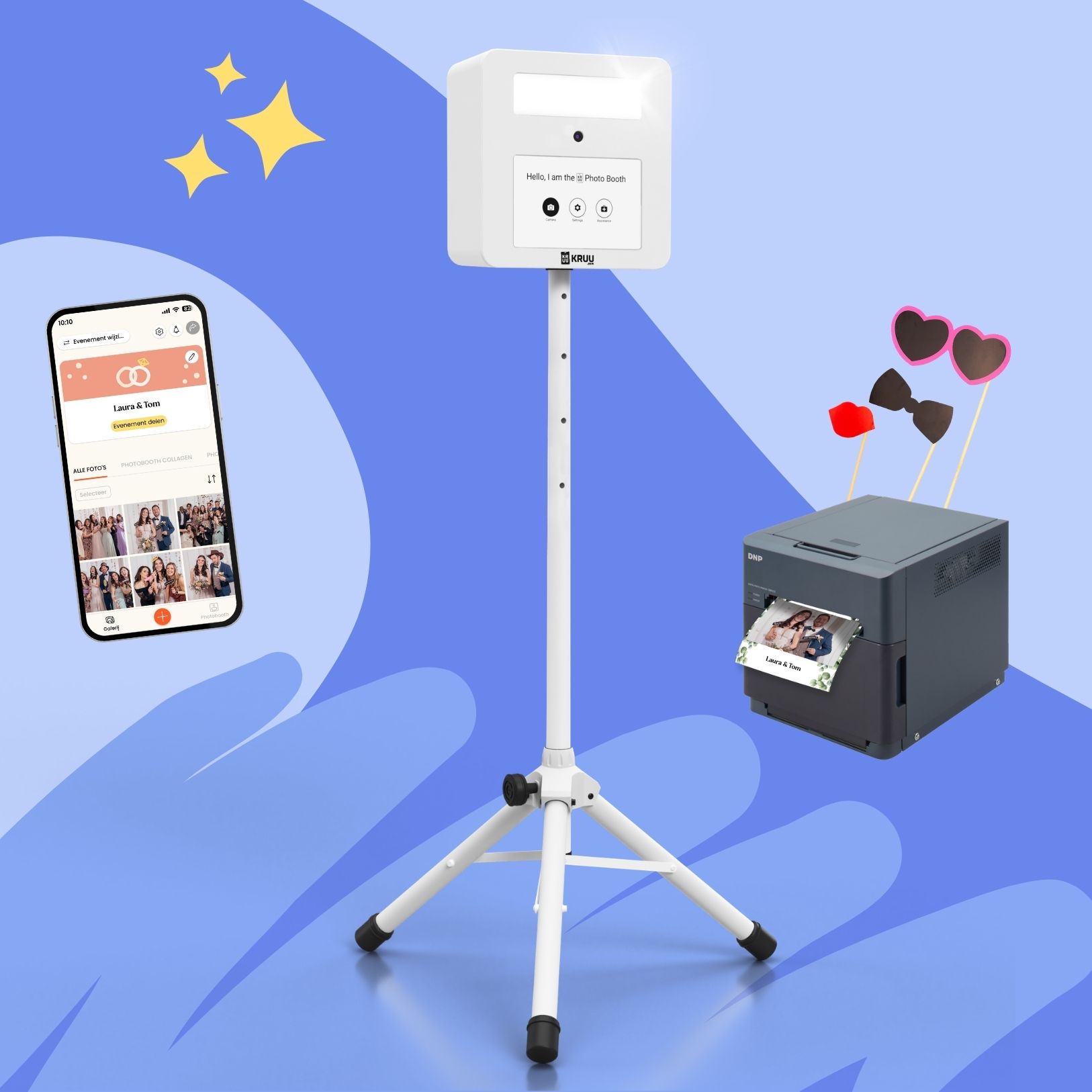
Step 3: Design Your Photo Layout 🖼️
Here's where things get fun. Once you've booked, you'll get access to the KRUU customer portal and FREE KRUU App (https://kruu.com/us/app/), where you can fully customize the look of your photo prints.
- Choose from up to 32 different layouts and 100 beautiful designs. Endless design options!
- Personalize your template with custom text — add your names, event date, or a fun tagline
- Decide how many photos appear per print: single image, strips, or collages (depending on your package)
- Want something completely unique? Upload your own custom design using our easy-to-customize Canva templates.
This is one of KRUU's biggest differentiators: you're not stuck choosing from a generic template the day of the event. You design everything in advance, so the Photo Booth is pre-loaded with your unique designs & ready to go the moment it arrives.
💡 Pro Tip: Set your design at least 14 days before your event date to ensure everything is configured perfectly before the booth ships.
Step 4: Your Photo Booth Arrives At Your Door 🏠
No need to arrange pickup or coordinate with another vendor. KRUU ships the photo booth directly from our Michigan warehouse to your door — completely free — arriving 2 to 4 days before your event via UPS.
You'll receive the complete package with everything you need:
- The photo booth with touchscreen and high-quality DSLR camera
- Professional, built-in LED flash
- Printer, paper, and ink (for Basic and Premium packages)
- Fun props included at no extra charge
- All the necessary tripods and cables
💡 Pro Tip: Double-check your delivery address in the customer portal before the booth ships. Make sure someone will be available to receive the box when it arrives.
Step 5: Quick Setup In Minutes 🕔
One of the most common questions people have about renting a photo booth is: "Is it complicated to set up?" With KRUU, the answer is a definitive “no”.
The KRUU Photo Booth is designed to be assembled by anyone in minutes. Inside the shipping box, you'll find easy step-by-step instructions and QR codes linking to setup tutorial videos so you're never guessing:
- Open and lock the tripod into position
- Mount the booth unit onto the tripod
- Plug in the printer (if using one) and power everything on
📣 "We loved the Photo Booth! Everything was easy to set up and easy to drop off after our wedding day at UPS the following business day." — Amanda, KRUU Customer
There's no on-site attendant required — the photo booth is fully self-serve. But if you do run into any issues, KRUU's US-based Customer Care team is available Monday through Wednesday 9AM–5PM EST, and Thursday-Friday from 9AM–9PM EST, Saturday and Sunday 2-9PM EST.
Step 6: Party! 🎉
This is the best step: just have fun! Once the photo booth is set up at your event, your guests take over. The large touchscreen makes it completely intuitive — guests tap to start, pose for the countdown, and see their photo on the screen immediately.
Here's what the experience looks like for your guests:
- Tap the touchscreen to begin the session
- Strike a pose — the timer gives everyone time to get ready
- Preview the shot on-screen and apply filters
- Print instantly (Basic and Premium) or download directly to your phone’s gallery via the KRUU App
The booth is available all day and night — no time limits, no extra charges, and no waiting for a photographer. Guests can use it as many times as they want throughout your event.
💡 Pro Tip: Set up the booth near the dance floor or bar — wherever the energy is highest. Props work best when guests are already in a playful mood!
Step 7: Pack Up & Return To A UPS Store Location 📦
When the party's over, wrapping up is just as easy as getting started. Simply repack the photo booth back into its original shipping box being sure to include the pre-paid return label, the included foam inserts and drop it off at any UPS Store the next business day.
- Repack all components into the box it came in
- Attach the included pre-paid return shipping label
- Drop off at any UPS Store location — no special scheduling required
That's it! No coordinating a pickup window, no waiting for a driver, no hassle.
➡️ Ready to Book Your KRUU Photo Booth?
From first click to final photo, KRUU makes photo booth rentals fun and effortless. No attendants. No complicated setup. No surprise fees. Just beautiful photos, happy guests, and memories that last long after the party ends.
With three flexible packages — Lite, Basic, and Premium — there's an option for every event size and budget. And with free nationwide shipping, professional-grade equipment, KRUU is the easiest way to level up any celebration.
Check availability for your date at kruu.com/us/photo-booth-rental/ — it's free & takes 30 seconds.
Have questions? Contact KRUU US Customer Care at support-us@kruu.com or call 833-659-4004 (Mon–Wed 9AM–5PM EST, Thu & Fri 9AM–9PM EST and Sat & Sun 2PM–9PM EST).